Blog
Parallel agents need a review workflow
Parallel coding agents help when tasks are independent and their results can be reviewed separately. Start with two scoped tasks, a worktree for each, and a clear integration order. More sessions do not remove the need to understand the combined change.
Last updated: · By Ubra maintainers
Start with a dependency map
Suppose a documentation site needs a broken-link fix and a navigation-label change. They touch separate pages, so they are reasonable parallel tasks. If both require a new shared navigation API, settle that API first. Write down dependencies before launching agents; “work on the website” is too broad to review reliably.
Write a task contract
For the link task, identify the broken destination, the affected page and the existing link check. For navigation, identify the exact labels and pages that should change. Each agent needs the repository/worktree, allowed scope, expected result and stopping condition.
- Ask for a summary of changed files and checks run.
- Identify files or interfaces another task owns.
- Require disclosure of failed checks and unresolved questions.
Separate checkouts, not just panes
Two panes in the same directory still edit the same files. Give each independent editing task its own branch and worktree. Start the agent in that worktree and verify its current directory. Install dependencies using the project’s established workflow; avoid sharing writable build output just to save setup time.
git worktree add -b docs-links ../docs-links HEAD
git worktree add -b docs-nav ../docs-nav HEAD
git worktree listReview before integration
Inspect the diff and compare it with the task contract. An agent that reports “done” may have missed an edge case or changed an unrelated file. Run the relevant checks, then commit only the intended scope. Ubra places diffs, staging, commits and PR checks next to sessions; the reviewer still owns the decision.
Land changes in an explicit order
Land the link fix, update the navigation branch against that base, then retest. If the second task depends on the first, review that seam together. Avoid asking both sessions to resolve the same merge conflict simultaneously. Parallel execution saves time only if integration remains understandable.
Know when to stay sequential
Use one session for tightly coupled refactors, uncertain requirements or changes that need constant human judgment. Start another only when its scope and ownership are clear. Provider limits, CPU, memory and your review capacity are real constraints.
A short Ubra walkthrough
This screenshot walkthrough uses a disposable documentation repository. A Claude Code session changed its README link; a Codex session changed navigation labels. The two editing tasks used separate Git worktrees. Neither task committed its result.
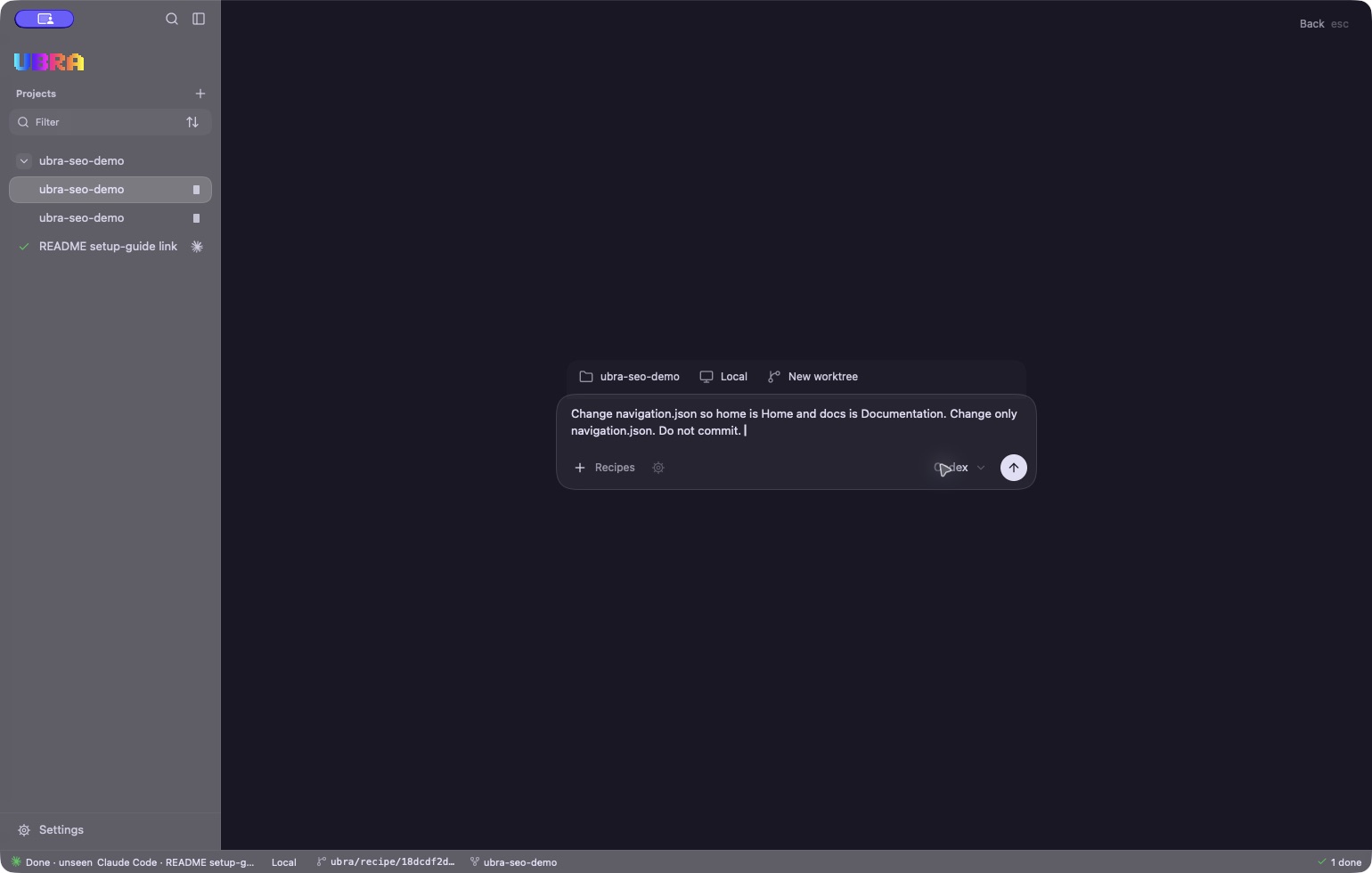
- Above the prompt: the project, host and New worktree destination are visible.
- The task names the file and expected labels. Codex is selected before launch. The README task used a different branch and worktree.
Real captures from Ubra 0.1.0 on October 9, 2026. Demo files only; agent CLIs and provider accounts are separate.
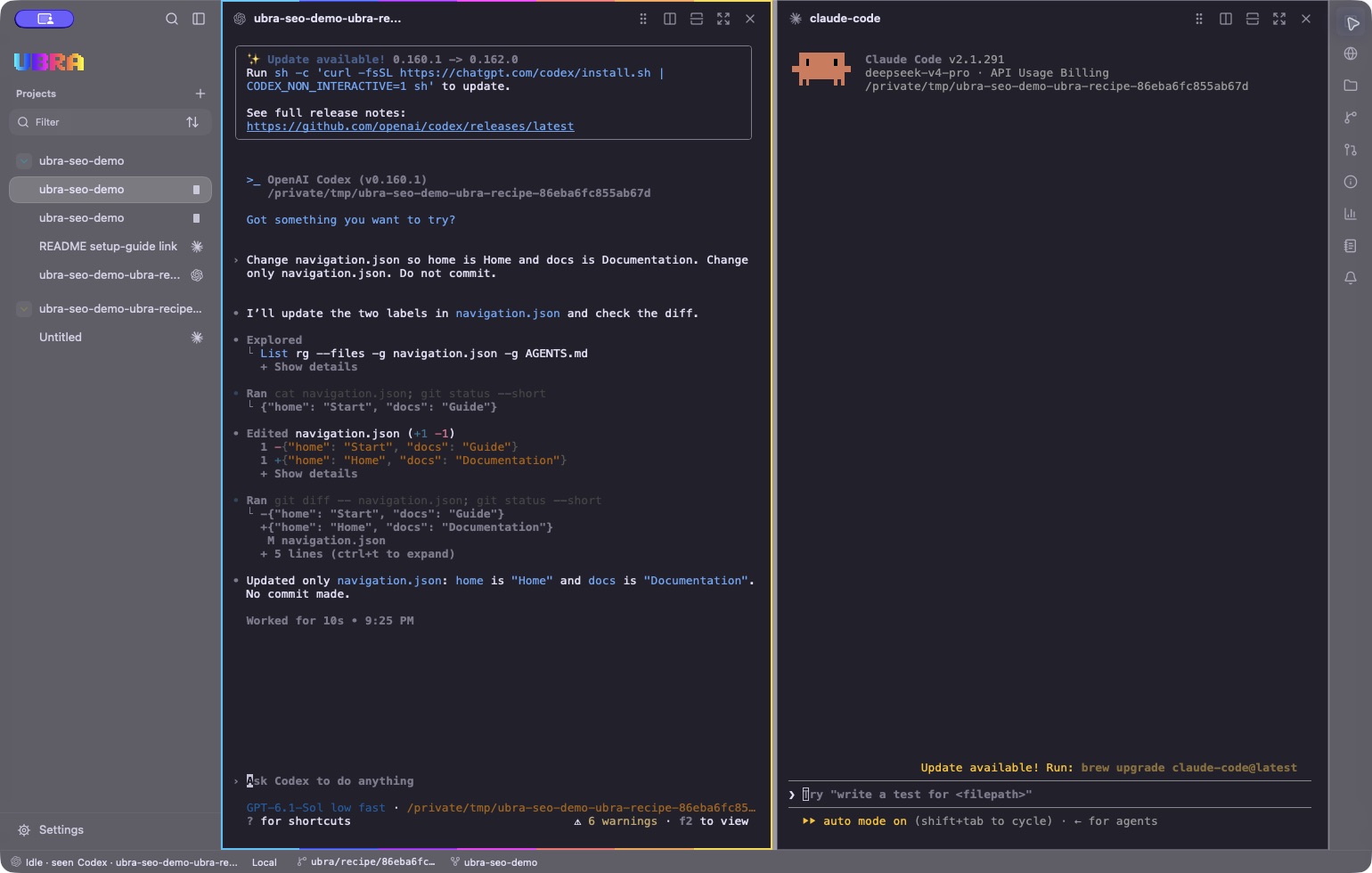
- Left: Codex completed a small navigation-label task in a disposable documentation repository.
- Right: an idle Claude Code CLI shares that worktree. A second pane is not a separate checkout; choose another worktree for independent editing tasks.
Real captures from Ubra 0.1.0 on October 9, 2026. Demo files only; agent CLIs and provider accounts are separate.
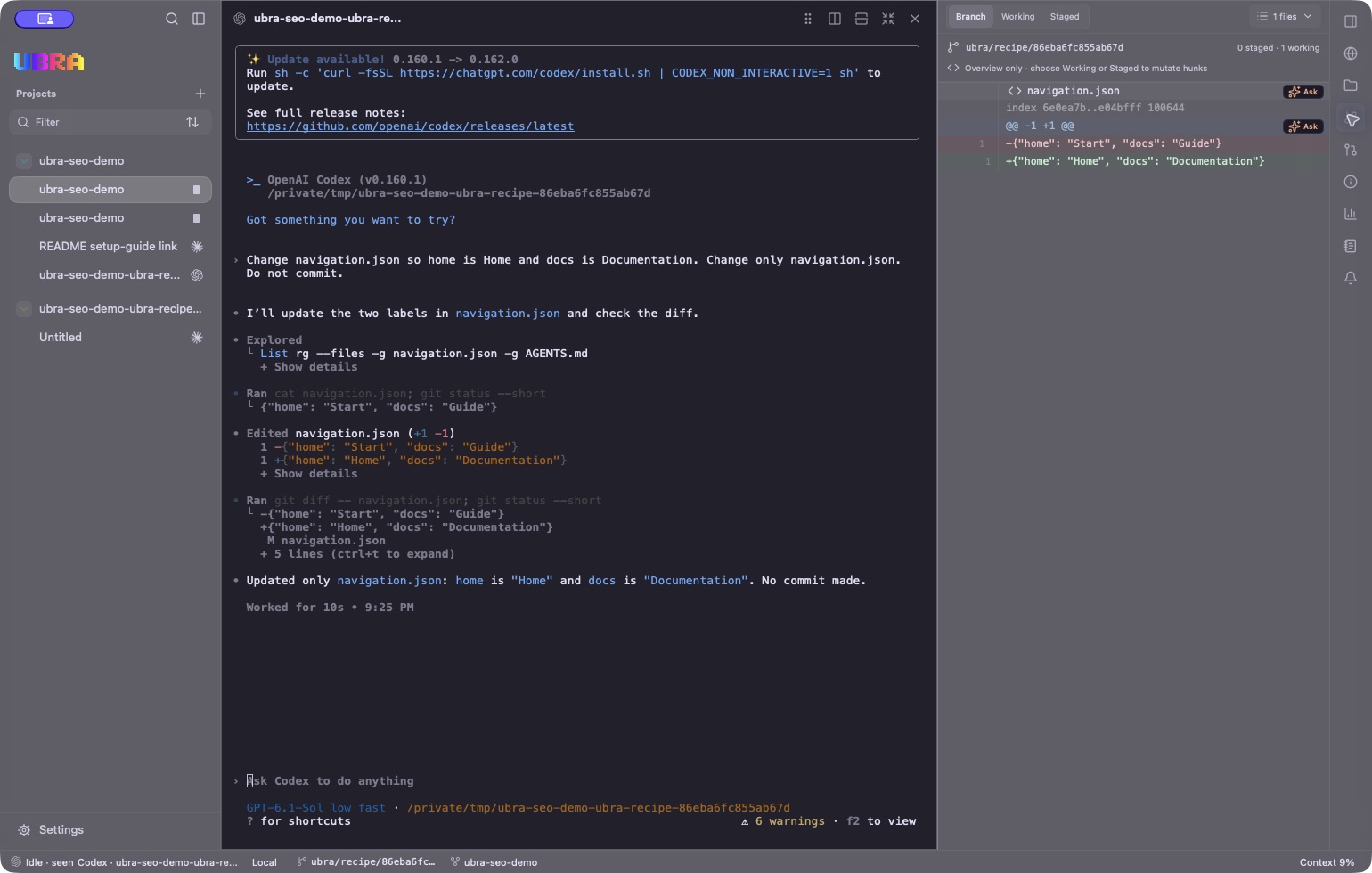
- Left: the agent reports its navigation.json change without making a commit.
- Right: Ubra's Branch review shows one working file and the two changed labels. This capture does not show a pull request or passing CI checks.
Real captures from Ubra 0.1.0 on October 9, 2026. Demo files only; agent CLIs and provider accounts are separate.
Walkthrough text transcript
First, choose the project and local host. Select New worktree, write the task and choose the agent. Here the navigation task changes only navigation.json. A separate Claude Code task updates a README link in another worktree.
Next, view sessions in panes. The screenshot shows the completed Codex task beside an idle Claude Code CLI in the same worktree. Panes arrange sessions; worktree selection separates checkouts. Do not treat either as a security sandbox.
Finally, inspect the navigation diff in Ubra's review panel. The home label changes from Start to Home; the docs label changes from Guide to Documentation. There is one working file and no commit. Check each task, integrate in a deliberate order and test the combined result before cleanup.
Ubra is open source and in active development. No released installers are published yet. Consult the current repository instructions or request a release notification.
Frequently asked questions
Is a Git worktree a security boundary?
No. It separates working files and branches. Agents still run with your user permissions and can access other paths.
Does Ubra automatically make parallel changes safe to merge?
No. Ubra organizes sessions and review; you must check behavior, conflicts and integration before merging.
Maintained by Ubra maintainers. Product capabilities and current availability are documented in the official repository. Ubra is independent of the agent providers and tools named here.
Get notified when Ubra is available
No release downloads are published yet. Leave your email and we'll let you know when they are.